
Nothing is more frustrating than your stream freezing right before a penalty kick or a crucial moment in a movie. If you are facing buffering issues, lagging, or audio sync problems on your Amazon Firestick, you are not alone. In this post, we will discuss how to Stop IPTV Buffering Firestick.
Many UK viewers suffer from poor streaming quality due to ISP throttling or overloaded servers. In this guide, we will show you exactly how to fix IPTV buffering and enjoy a seamless viewing experience while learning to Stop IPTV Buffering Firestick.
Check Speed to Stop IPTV Buffering Firestick
Before blaming the app, ensure your internet connection is stable. For reliable streaming of HD and FHD content, you need at least 10 Mbps. However, if you want to watch live sports in 4K without interruptions, we recommend a stable speed of 20 Mbps or higher. Use a wired Ethernet connection instead of Wi-Fi for better stability.You can check your speed on Fast.com.
2. Clear Cache on Your Firestick
Over time, your Firestick stores temporary data that can slow down performance. Follow these steps:
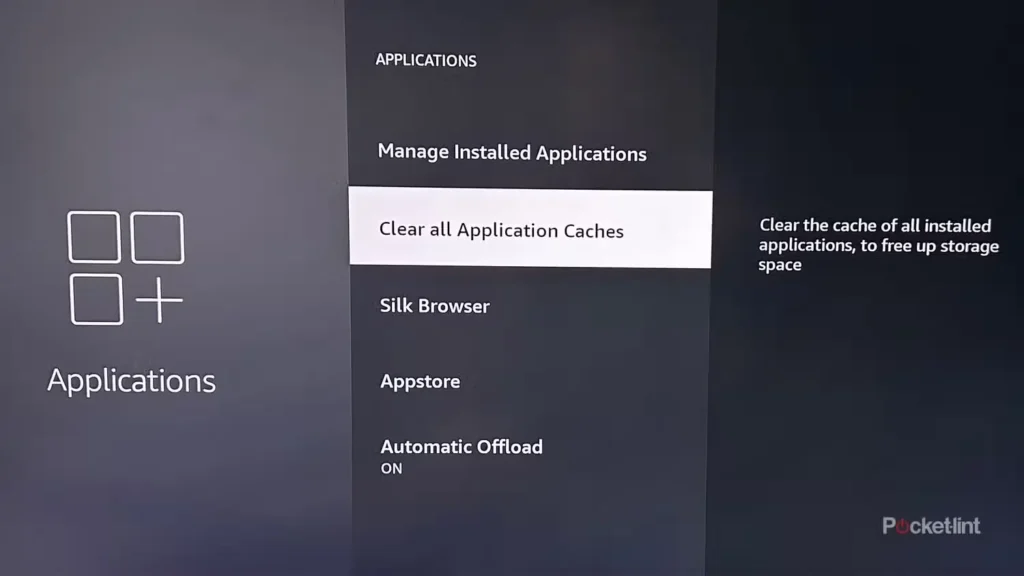
- Go to Settings > Applications.
- Select Manage Installed Applications.
- Choose your IPTV App.
- Click Clear Cache (Do NOT click Clear Data, or you will lose your login details).
3. Check for ISP Throttling
In the United Kingdom, internet providers (like Virgin Media, BT, and Sky) often slow down streaming speeds during peak times, especially during Premier League matches. This is called “Throttling.” If your speed is fast on websites but slow on IPTV, your ISP might be blocking you.
4. Is Your Provider the Problem?
If you have tried everything above and still experience freezing, the problem is likely your IPTV provider. Cheap servers get overloaded quickly.
At BritCast, we use advanced load-balancing servers designed specifically for the UK market. We guarantee:
- 99.9% Uptime with Anti-Freeze Technology.
- Crystal clear 4K & FHD quality.
- Compatibility with Smart TVs, Android, and Firestick.
Stop Settling for Poor Quality
Check out our 12 Months Plan for the best value and uninterrupted streaming all year round.
Frequently Asked Questions
- Does VPN stop buffering? Yes, a VPN prevents ISP throttling which is a main cause of buffering.
- Why does my Firestick keep buffering? It could be due to low internet speed, cache buildup, or a poor IPTV provider