
Want to stream UK sports at home without juggling three remotes and a freezing picture at 16:30? You need a boring, reliable chain: decent broadband, a stick or Smart TV that is not overheating, one good player app, and a service that holds up when half the country is watching the same fixture.
This guide is the living-room version we walk customers through on WhatsApp. It skips hype and focuses on the order of setup. Prefer someone to check your kit with you? Message WhatsApp or start via BritCast.
Test at kick-off time, not at noon. That is the only honest way to stream UK sports at home without surprises.
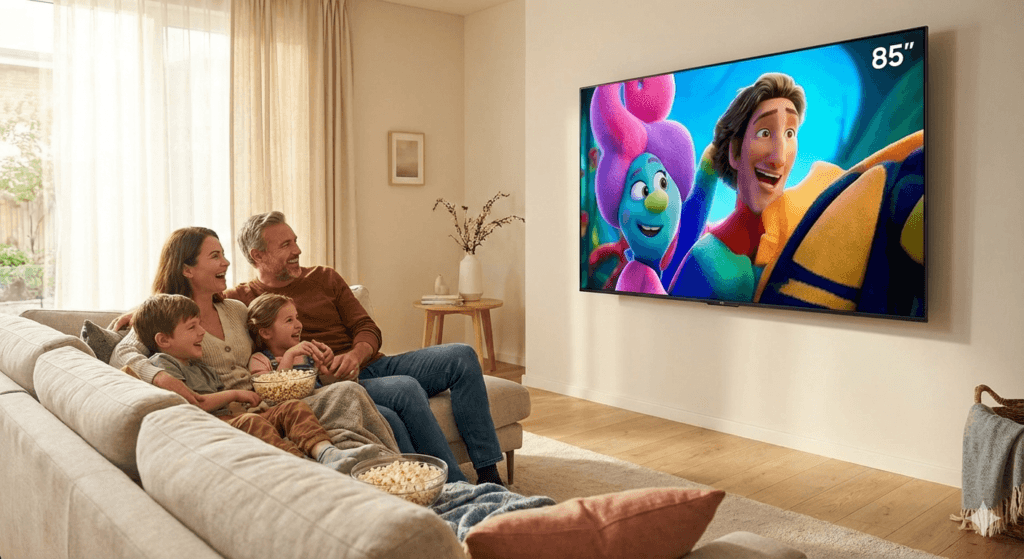
What you need to stream UK sports at home
- Broadband that stays up — stable speed matters more than a marketing peak. Pause big downloads during kick-off.
- A display device — Fire TV Stick, Android TV / Google TV, Smart TV app, or phone/tablet for travel.
- One IPTV player — TiviMate, IPTV Smarters, or the app your service recommends. Do not install four “just in case”.
- A subscription you can test — trial the same evening window you care about, not only daytime news channels.
Step-by-step living room setup
1) Put the stick where it can breathe
Use the official power supply. Add a short HDMI extender if the stick sits in a hot TV cavity. Heat causes random stutters that look like “bad IPTV”.
2) Prefer 5 GHz Wi‑Fi or Ethernet
Connect the Firestick to your 5 GHz SSID. In busy houses, an Ethernet adapter is the upgrade that ends most match-day arguments. Keep the router away from thick walls when you can.
3) Install one player and load credentials once
Sideload or install the player your provider supports, then add the playlist or XC login exactly once. Save favourites for the sports channels you actually use so you are not scrolling at 12:29.
4) Set buffer and display sensibly
Raise the live buffer slightly. If most feeds are HD, locking the Firestick output to 1080p can be smoother than constant 4K handshake flips. Full troubleshooting lives in stop IPTV buffering Firestick.
5) Test on a real match window
Open the channel five minutes early. Check audio sync, channel zap time, and whether the picture holds when someone else joins the Wi‑Fi. That is the only test that matters if you stream UK sports at home every weekend.
Multi-room without chaos
Second screen in the kitchen? Use a phone or a second stick on the same account rules your plan allows. Do not daisy-chain weak mesh nodes as a substitute for a wired main TV. If the main screen buffers, fix that path first.
Pub search vs sofa
Still comparing with a night out? Our note on pubs showing Sky Sports near me weighs atmosphere against cost. Home wins when you want volume control and no taxi queue.
Smart TV vs Firestick for UK sport
Built-in Smart TV apps are fine when the store still offers your player and the TV has enough RAM. Older sets get sluggish after a few years of system updates. A Firestick keeps the TV as a dumb panel and puts the work on a device you can replace for less than a new television.
If the TV app works today, keep it. If menus lag or the player vanished from the store, move to a stick. Either way, the network rules above stay the same when you stream UK sports at home.
BritCast pricing if the setup checks out
Once the living room is stable, pick a length that matches how you watch:
- 1 month — £14
- 3 months — £24
- 6 months — £34
- 12 months — £49
Details sit on the IPTV subscription page. New viewers often start with an 24-hour IPTV test chat so we can confirm the player and playlist on your device.
Common match-day failures (and the quick fix)
When you stream UK sports at home, the same four problems show up again and again:
- Picture starts, then freezes every few minutes — weak Wi‑Fi or a hot stick. Move to 5 GHz/Ethernet and clear cache.
- Audio drifts behind the crowd noise — restart the player channel; if it persists, try another stream or lower display quirks.
- Guide is empty — playlist or EPG URL not saved correctly; reload credentials once, do not spam refresh.
- Works on phone, fails on TV — TV path is the issue (Wi‑Fi band, power, or old stick), not the whole internet line.
Write down which symptom you saw before you message support. “It buffers” is vague. “Buffers only on the living-room stick after 20 minutes on 2.4 GHz” is something we can fix.
Weekend routine that keeps the sofa reliable
Friday night or Saturday morning:
- Restart the Firestick.
- Clear the IPTV app cache if you have not in a fortnight.
- Confirm nobody scheduled a huge download for 3 pm.
- Favourite the channels for that weekend’s fixtures.
- Open the first match early and walk away for two minutes. If it holds, you are ready.
That is dull on purpose. Dull setups survive derbies. Flashy ones die when the house fills with phones on the same router.
Travel and second-screen notes
Away for a weekend? Phone hotspot plus a tablet player is often cleaner than hotel lobby Wi‑Fi on the big TV. When you are back, plug the main stick into the home network again and retest. Do not assume hotel success means the living room is fine, or the reverse.
If you share a flat, agree who gets bandwidth during kick-off. One 4K film upload in another room will make any attempt to stream UK sports at home look worse than it is.
Audio, second screens, and guests on match day
Picture is only half the job when you stream UK sports at home. If audio drifts, restart the channel once before you dig into decoder menus. For guests, favourites folders beat scrolling the whole guide while everyone waits.
A phone on the same Wi‑Fi as a backup is smart for away commentary or a second feed. Just remember: two heavy streams plus a console update will crush a weak router. Prioritise the main TV path first.
Want a deeper Firestick install walkthrough? Use our Fire Stick 4K setup guide, then come back to this page for the sports-specific order of operations.
FAQ
What speed do I need to stream UK sports at home?
Steady HD streams are usually fine on typical UK home broadband if Wi‑Fi is clean. Problems show up more from congestion and weak signal than from a missing “100 Mbps” badge. Test at match time.
Is Firestick enough for live football?
Yes for most flats and houses, especially 4K Max class sticks on 5 GHz or Ethernet. Older Lite models struggle sooner when RAM fills up. Restart weekly and clear app cache.
Should I use a VPN for sports?
Only after Wi‑Fi and cache are sorted. A paid VPN can help if evenings are far worse than late nights. It will not fix a stick on 2.4 GHz two rooms away.
Can you help me set it up?
Yes. Message WhatsApp with your device type (Firestick, Samsung, etc.). We would rather spend ten minutes on setup than have you guess during a derby.
Wrap-up
To stream UK sports at home with fewer headaches: cool the stick, use 5 GHz or Ethernet, one player, sensible buffer, then trial on a real fixture. When you want that walkthrough, start at BritCast.